GMC Yukon Parking Brake Reset After Pad Replacement
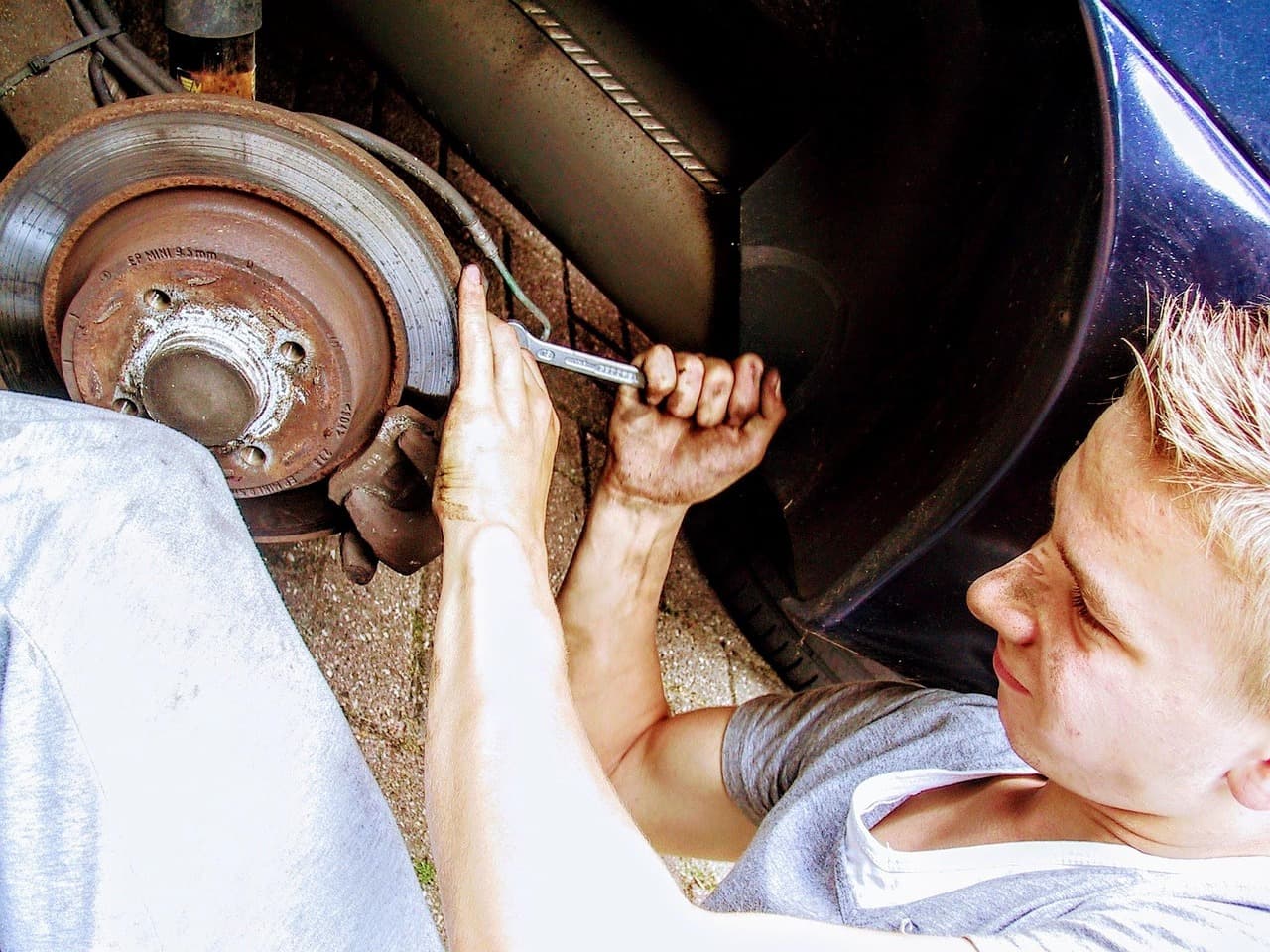
Before pulling the rear calipers on a Yukon with an electronic parking brake (EPB), the EPB has to go into service mode so the caliper pistons retract instead of fighting the job. That's done either with a scan tool talking to the brake module, or with a manual switch sequence: ignition on, engine off, transmission in park, brake pedal held, then the EPB switch held until the dash lamp flashes. Once the new pads are in, exiting service mode lets the module drive the calipers back to their normal clamped position, finishing the reset.
Why You Need Service Mode First
Newer Yukons don't use a cable-and-lever parking brake at the rear. Instead, small electric motors inside the calipers apply and release the parking brake on command from a control module. That's convenient day to day, but it means you can't just push the caliper pistons back with a C-clamp like you could on an older truck. The motor keeps the piston clamped, and forcing it can damage the actuator.
Service mode tells the module to back the motor off and hold it there, so the piston moves freely while you swap pads. Skip this step and you'll either be unable to compress the piston, or you'll damage a part that costs far more to replace than a set of pads. It's the same reason this step matters on the 2019 GMC Acadia, which uses a comparable electronic parking brake.
How to Enter Service Mode
There are two general ways to get a Yukon's EPB into service mode. Which one you use mostly comes down to what equipment you have on hand.
Scan Tool Method
A scan tool capable of bidirectional control on the brake control module is the more reliable route, and it's the method most shops default to. Connect the tool, navigate to the brake or EPB control menu, and select the service mode or caliper retract function. The tool sends the command directly to the module and the calipers retract automatically, without you needing to time a button press. GMC's larger SUVs and trucks tend to lean more heavily on scan tool control for full EPB functions than some smaller GM models, so this is worth using if you have access to one.
Manual Switch Method
Without a scan tool, most GM vehicles built on this generation of electronic parking brake share a similar manual sequence:
- Park on level ground and chock the wheels.
- Turn the ignition to ON/RUN with the engine off.
- Shift into PARK.
- Press and hold the brake pedal, and keep it held through the next steps.
- Press and hold the EPB switch. After several seconds, watch for the parking brake lamp on the instrument cluster to start flashing.
- Once it flashes, release the EPB switch, then immediately press and release it again.
- Release the brake pedal. The parking brake cable tension should now be released and the system in service mode.
This is the same general sequence documented for the 2018 Acadia's rear brake service mode, since GM has used similar EPB switch logic across several models. Exact timing and menu wording can still vary by model year and trim, so treat the sequence above as the general pattern rather than a guaranteed script for your specific Yukon. If your owner's manual describes something different, follow the manual.
Replacing the Rear Pads With the EPB Retracted
With the parking brake retracted, the rear brake job itself is a fairly standard pad replacement. Remove the wheel, unbolt the caliper, and support it so it isn't hanging by the brake hose. Pull the old pads, inspect the caliper bracket and slide pins for wear or corrosion, and clean up the contact points before the new pads go in. Don't force the piston back manually while service mode is active; let the module's retraction do that work. If the rotors are within spec, reuse them; if they're scored, heavily rusted, or below minimum thickness, replace or resurface them while everything is apart.
After the Pads Are Installed
Once the new pads, hardware, and caliper are reinstalled and torqued to spec, the EPB needs to come out of service mode so it recalibrates and returns to normal clamping function. With a scan tool, there's typically a corresponding "exit service mode" or "apply" command in the same menu; select it and let the tool confirm the calipers return to their normal position. Without one, cycling the ignition off and back on, or driving the vehicle a short distance, is generally enough for the system to exit service mode and re-apply the parking brake on its own.
Before driving off, confirm the parking brake actually engages and releases from the switch, and that the dash warning lamp turns off rather than staying lit. A lamp that won't clear is a sign the reset didn't complete and is worth addressing before the vehicle goes back into regular use.
If Service Mode Won't Activate or the Brakes Won't Reset
A few things commonly get in the way of a clean service mode entry or exit. Low battery voltage is one of the most common: the EPB module needs stable power to complete the retraction or reapply cycle, so a weak battery can interrupt the process partway through. Stored diagnostic trouble codes on the brake control module can also block service mode from activating until they're cleared, which usually requires a scan tool. If the manual switch sequence isn't cooperating at all, pulling and reseating the EPB fuse has resolved it on some GM vehicles, though a stuck or unresponsive system afterward is a good reason to involve a technician or dealer rather than keep experimenting with switch timing. This is a related pattern to what shows up as a Reduced Braking Available message on some Yukons, since both trace back to the brake control module's health.
Frequently Asked Questions
Do all GMC Yukons have an electronic parking brake?
Not every model year and trim is identical. If your Yukon has a small switch labeled "P" or "BRAKE" on the center console instead of a foot pedal or hand lever, it has an electronic parking brake and needs service mode before rear pad work. Check your owner's manual if you're not sure which system yours has.
Can I replace the rear pads without putting the EPB in service mode?
It's not recommended. Without service mode, the caliper piston stays clamped by the motor, and forcing it back with a C-clamp or channel locks risks damaging the actuator, which costs considerably more to fix than the brake job itself.
What if the parking brake light stays on after I finish the job?
That usually means the system hasn't fully exited service mode or recalibrated. Try cycling the ignition and taking the vehicle for a short drive first. If the light stays on after that, check for stored trouble codes with a scan tool rather than continuing to drive with an unresolved warning.
Is a scan tool required, or can this be done with just the switch?
Many GM vehicles allow the manual switch sequence as an alternative to a scan tool, but the scan tool method is generally more reliable and is what most shops use by default. If the manual sequence doesn't work on the first try, a scan tool is the more dependable fallback, especially on trucks and SUVs where EPB service functions lean more on scan tool control.
Safety note: This guide is for general informational purposes. Brake systems are safety-critical — if you're unsure at any step, or the work requires specialized tools, have it inspected or completed by a qualified technician.
Related Guides
 Yukon
YukonGMC Yukon Trailer Brake Troubleshooting
When GMC Yukon trailer brakes are dead, weak or locking up, check the 7-way connector, fuse, gain setting and trailer magnets, in that order.
 Yukon
YukonGMC Yukon "Reduced Braking Available" Message Explained
Reduced Braking Available on a GMC Yukon means the brakes have lost normal power assist. Learn the common causes, safe checks and when to see a technician.
 Sierra
Why Won't My GMC Sierra's Brake Warning Light Turn Off?
If a GMC Sierra brake warning light stays on with good pads and fluid, the cause is often the parking brake switch, fluid level sensor, ABS or wiring.
 Sierra
How to Bleed ABS Brakes on a GMC Sierra
A soft pedal after a full manual bleed often means air trapped in the GMC Sierra's ABS modulator. Learn why and how a scan tool ABS bleed clears it.
 Terrain
GMC Terrain Brake Reset After Rotor Replacement
2018 and newer GMC Terrains need the electronic parking brake put in service mode before rear rotor work, then reset. Earlier Terrains need no reset.
 Sierra
GMC Sierra Soft Brake Pedal — Causes and What to Check
A soft brake pedal on a GMC Sierra usually means air in the lines, a fluid leak, or a worn master cylinder. Here is how to narrow it down.
More in Reset & Troubleshooting Guides
- 2020 GMC Sierra Service Brake Pad Monitor Reset
- How To Reset Change Oil Light on 2005 GMC Sierra
- How to Reset Your GMC Acadia Radio
- 2020 GMC Sierra 1500 Brake Control Module: Test & Replace
- GMC Sierra Parking Brake Reset After a Battery Disconnect
- How to Reset the Service Tire Monitor System on a GMC Acadia