2020 GMC Sierra Service Brake Pad Monitor Reset

To reset the brake pad monitor on a 2020 GMC Sierra, open the Brake Pad Life page in the Driver Information Center (DIC), select the axle whose pads you replaced (front or rear) and confirm YES with the thumbwheel. On trucks without DIC buttons, use the trip odometer reset stem instead. Repeat for the other axle if you replaced both. Reset only after new pads are installed, and fix any "Service Brake Pad Monitor" fault first, because a reset doesn't clear an active sensor problem.
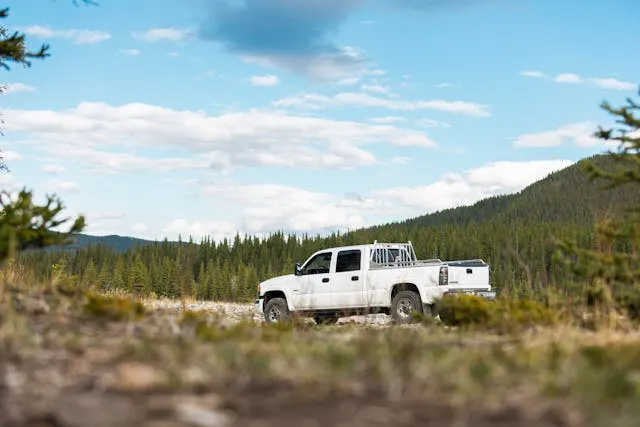
Which Sierras This Applies To
The Brake Pad Life system came with the redesigned 2019 Sierra 1500 (GM's T1XX generation), and the steps below come from the 2020 GMC Sierra owner's manual. GMC's support page gives the same thumbwheel procedure for GMC vehicles with the monitor. Menu layouts can shift between model years and instrument clusters, so if the page names below don't match your screen, check the owner's manual for your year.
The 2018 and older Sierra has no Brake Pad Life page in the DIC (it isn't in the 2018 owner's manual). Those trucks rely on the pads' audible wear indicators, so there's nothing to reset.
Automatic Reset After New Pads and Sensors
According to the owner's manual, the system detects when significantly worn pads are replaced. When you turn the ignition on after installing new pads and new wear sensors, a message appears on the DIC. Follow the prompts to reset that axle.
This automatic prompt depends on the wear sensor having worn through and then being replaced. If you changed pads before the sensor wore (for example, during a rotor job or a switch to a different pad), you won't get the prompt. Use the manual reset below.
Manual Reset Through the DIC
- Turn the ignition on. The engine can be off.
- Display Brake Pad Life on the DIC. On midlevel and uplevel clusters, scroll with the steering-wheel controls to the Info page that shows front and rear brake pad life. On the base-level cluster, cycle the trip odometer reset stem until Brake Pad Life appears.
- Select the axle. Press the thumbwheel (or the trip odometer reset stem if the truck has no DIC buttons) and choose front or rear pads, whichever you replaced.
- Confirm. Select YES on the confirmation message, or press the trip odometer reset stem on a base-level DIC.
- Repeat for the other axle if you replaced both front and rear pads.
- Check the display. The axle you reset should now read 100 percent.
The system can only reset back to 100 percent. You can't set a partial value, so only reset an axle that really has new pads. Resetting an axle whose pads weren't changed will make the estimate wrong.
Reset With a Scan Tool
A scan tool can do the same reset through the Brake System Control Module. In service information the function is an axle-specific brake pad life reset, which Brake & Front End calls the Axle Brake Pad Life Monitor Reset Learn. Use this route when:
- the DIC doesn't offer a reset (see the early 2019 note below),
- you want to clear stored brake-module codes in the same step, or
- you're already connected for rear brake work, which needs the scan tool for Parking Brake Service Mode and Park Brake Calibration anyway.
Connect the tool, turn the ignition on with the engine off, open the Brake System Control Module, choose front or rear axle pad life reset, and follow the prompts.
Why the Reset Won't Work (or the Warning Comes Back)
| Symptom | Likely reason | Fix |
|---|---|---|
| "Service Brake Pad Monitor" returns after a reset | A wear sensor is unplugged, damaged or misrouted, or a brake-module code is still stored | Check the left front and left rear sensors and connectors, clear the codes, then reset |
| No reset option in the DIC on an early 2019 truck | On early 2019 software, GM says the DIC reset only appears after a sensor has worn through and been replaced | Reset with a scan tool, or have the dealer do it |
| Pad life drops unusually fast on a 2019 | Early-build software issue in GM's PIT5695B | Dealer reprograms the brake module |
| Pad life percentages don't show at all | The system was turned off, which is an option when aftermarket pads without sensors are installed | Re-enable it on the Brake Pad Life page, if your pads have sensors |
| Rear pad life falls much faster than front | Possible mud packing in the rear calipers (GM bulletin 21-NA-089) | Inspect and clean the rear brakes |
The early 2019 details come from GM's Preliminary Information PIT5695B, filed with NHTSA. It covers early-build 2019 Sierra 1500s, says the monitor can only be reset to 100 percent, and explains that the DIC reset on that software was enabled only after the module saw a wear sensor open and then replaced. Otherwise the dealer's GDS2 tool was the only way to reset it.
For what the monitor message means and how the sensors work, see What Does Service Brake Pad Monitor Mean on GMC Sierra?.
Turning the Brake Pad Life System Off (and Back On)
If you install aftermarket pads that don't work with the factory wear sensors, the owner's manual lets you turn the system off:
- Display Brake Pad Life on the DIC.
- Select DISABLE.
To turn it back on, follow the same steps and select ENABLE. With the system off, the front and rear pad-life percentages don't display, but the pads' built-in wear indicators still squeal when the pads are worn.
Before You Reset: Finish the Brake Job
A pad-life reset is the last step, not the whole job. On a 2019-2025 Sierra 1500 the rear brakes also need the electric parking brake taken out of service mode and calibrated after pad replacement. How to change brakes on a 2020 GMC Sierra covers the full sequence. If the parking brake warning stays on after a battery disconnect, see GMC Sierra parking brake reset after a battery disconnect.
Frequently Asked Questions
Can I reset the brake pad monitor without new pads?
The DIC may let you reset an axle, but the system assumes you installed new pads and sets that axle to 100 percent. Doing it on worn pads removes your early warning, so only reset after a pad replacement.
Do I need a scan tool to reset brake pad life on a 2020 Sierra?
Usually not. The owner's manual gives a DIC reset procedure that needs no tools. A scan tool is useful when the DIC doesn't offer a reset (as on some early 2019 software), when brake codes need clearing, or when you're already connected for rear parking-brake service.
Do I have to reset both axles?
No. Reset only the axle whose pads you replaced. Front and rear are tracked separately.
Why does my Sierra still say Service Brake Pad Monitor after the reset?
That message means the system has a fault, such as a wear sensor that's unplugged or damaged or a stored brake-module code. The reset doesn't fix faults. Correct the sensor problem, clear the codes, then reset.
Does disconnecting the battery reset the brake pad monitor?
The owner's manual doesn't list a battery disconnect as a reset method. It gives the DIC procedure and the automatic prompt after new pads and sensors.
Safety note: This guide is for general informational purposes. Brake systems are safety-critical — if you're unsure at any step, or the work requires specialized tools, have it inspected or completed by a qualified technician.
Related Guides
 Sierra
Why Won't My GMC Sierra's Brake Warning Light Turn Off?
If a GMC Sierra brake warning light stays on with good pads and fluid, the cause is often the parking brake switch, fluid level sensor, ABS or wiring.
 Sierra
How to Bleed ABS Brakes on a GMC Sierra
A soft pedal after a full manual bleed often means air trapped in the GMC Sierra's ABS modulator. Learn why and how a scan tool ABS bleed clears it.
 Sierra
GMC Sierra Soft Brake Pedal — Causes and What to Check
A soft brake pedal on a GMC Sierra usually means air in the lines, a fluid leak, or a worn master cylinder. Here is how to narrow it down.
 Sierra
GMC Sierra Parking Brake Reset After a Battery Disconnect
A dead or disconnected battery can leave a GMC Sierra's electronic parking brake stuck in a warning state. Here's how to reset it, step by step.
 Sierra
2020 GMC Sierra 1500 Brake Control Module: Test & Replace
Learn the symptoms of a failing brake system control module on the 2020 GMC Sierra 1500, how to diagnose it, and the steps to replace and calibrate it.
 Sierra
How To Reset Change Oil Light on 2005 GMC Sierra
The reset change oil light on 2005 GMC Sierra is basically a maintenance reminder light that comes on your dash.